Showing posts with label Life. Show all posts

Tuesday, April 21, 2020

Plex Media Server running on a Synology Server DS418play - Error

So, I have been running PMS for some time, and before it I ran on a smaller slower Synology box.

But today it decided to not work.

On my computer accessing Plex the error showed


There was an unexpected error loading this library
Please visit our forums if you continue to experience problems

On my LG Smart TV it said

something went wrong there was an error loading your home screen

I accessed the account and the logs, and through a million trillion line entries, there appeared to be an issue with the database. 

Apr 21, 2020 19:09:36.153 [0x7fe98abc3700] ERROR - SQLITE3:(nil), 11, database corruption at line 64817 of [bf8c1b2b7a]

So... how to fix.  There are a range of items in the web on how to correct/repair a sqlite database, but yeah, bollocks to that.

Plex tends to keep four backups of its databases.  So, assuming you are not unfortunately enough that all four are dead, then its pretty straight forward.

Web access to your synology server, and open the File Station app.  Then find the following location.

[Server name]>Plex>Library>Application Support>Plex Media Server>Plug in Support>Databases

Its quite deep.

In that folder is a ton of database files and their backups.

Now, the next thing you need to ensure is that the Plex server is not running.  Open Package Centre, click on installed, then the plex app, then the little arrow next to "open" which will allow you to select Stop.  Agree and let it shut down.

The above folder will clear out a few of the active database files. 

The file I had to deal with was com.plexapp.plugins.library.db

Really clear name, but thats it.  Long with that file, there are a four others of the same name but with the addition of a date at the end. 

I selected the above file and all four backups, and selected download.  This is to backup files so I don't mess things up. 

Then I deleted the above file.

Finally I got the backup file with the newest date, and removed its date, so it ultimately replaced the above file name directly. 

Started the plex app through the Package centre, and it all ran perfectly.

Obviously, if required, you can go further back into the backups to get the thing working. 

Saturday, January 25, 2014

Cloning Mid-2010 Macbook HDD to a new and larger HDD

Because the mac is a little limited in size (250gb) and its currently full of "other" stuff - stuff I have no idea what it is, where it is, nor do I wish to format it away (which appears to be the only way of dealing with it) - I decided to upgrade my little HDD to something a little larger aka 750gb.

Drive brought.

USB case dragged outta my drawer.

Time for fun.

Step by step (in case anyone finds this on google, and somehow gets the same errors as most of these idiotic websites miss a step or two)

1.  Format your new HDD with disk utility.  Well, erase in Apple terms.  Disk Utility > click your new drive > click erase tab > give it a name (something distinctive) and click erase.  If its a new drive, probably no point using the security options.

2.  Supposedly you can use Disk Utility to create an image of your main drive, by using the "restore" option.  This kept throwing up errors for me, so I downloaded Superduper.  Its reasonably simple.

3.  Open Superduper - simple little box with a few options.  Put your old HDD in the COPY side, and new HDD in the TO side.  Pretty simple concept huh.   USING should be "Backup-all files".

4.  If you do not want to mess up (like me), click options and select "On successful completion set "ur new drive" as startup disk"  Well, by that, I mean I didn't click that option, and it caused an issue and highlighted an issue of my Macbook, to me.

5. Click copy now - DOUBLE CHECK YOU HAVE THE RIGHT DISKS IN THE RIGHT SPOT

That should be obvious, but needs repeating.

6.  Wait a long time for it to finish.

7.  Once successfully completed, leave the drive plugged in.  We want to double check the drive is working as expected before opening the macbook up to replace the drive.

THIS IS MY SIDE TRACK ABOUT MACBOOK FIRMWARE

8.  To boot from another disk, you hold down option key while restarting.  However, when I performed this action, the screen popped up a lock symbol, and a box for a password.  I haven't done this before, so its all new.  A quick google shows me that you can set a firmware password.

9.  This Macbook is mine (for kids mainly) but the school that it was originally sent to (Hi Ross Intermediate) required their clone image over the drive.  But, in addition (probably to stop students booting off other drives that are not under the schools control - they used to rent computers and they hadn't had many 'external' Macs going through their door at this stage).  So, I had a locked computer and no way of booting it.

10.  Being the brainiac, I thought... eh, lets just stick the new HDD in and see how it goes.  Well, it doesn't  As I didn't set it as the booting drive (I assume that it would work), then the Mac did not see that as the desired booting drive, therefore a big fat ? in the middle of the screen.  But of course, I cannot select another drive via the option key during bootup as firmware password blocks me.

11.  Not so long story short.  Google helps but not in one site.

12.  Resetting a Firmware password on a Mid-2010 Macbook A1342 is simple.  If you have a newer Macbook, especially those without removable RAM, I hope you live close to an Apple Store.

13.  Open up bottom of Macbook (follow this instruction set - it needs a 00 philips head screwdriver).  Remove one RAM module using the same instruction set.  Half-ass close up the base of the Macbook.  Roll it over and prepare to turn on.

14.  RESET THE PRAM (Parameter RAM).  If you do not do this, the stupid firmware just resets the old password back in on bootup - and this appears to be the missing step I didn't see on other sites).

15.  Start up the Macbook, holding down the keys COMMAND+OPTION+P+R

16.  COMMAND + OPTION + P + R  (clear?)

17.  Let it startup.

18.  Turn off.  Roll over, Replace HDD in computer as shown in the ifixit link.  Replace everything.

19.  Restart computer (if it doesn't find the HDD first time, click OPTION during startup and it will let you select a drive and a wireless network if required (I assume it will be fine with the selection of #4 above)

20.  Under StartupDisk (in system folder or just use finder) make sure the mac is set as the startup option.

21.  It appears to work.


Hope this helps.  My cloned drive is now working (Its what i am using).  It is showing 500gb free, so hopefully that will last, especially as most of my files are not on this, but on the server.  But keeps the wife and kids happy to have a little more space to play with.

The current top paid app is also "Disk Doctor" so I may give that a go to see what I can get working.

Wednesday, March 31, 2010

What Makes You Tick? - Michael Berland and Douglas Schoen

Another week, another book down. An interesting little book. Basically a huge pile of interviews with 'successful' people from all walks of life. Covering where they grew up, schooling, their employment history and where they are planning to go.


Saturday, March 27, 2010

Globality: Competing with Everyone from Everywhere for Everything - Hal Sirkin, Jim Hemerling and Arindam Bhattacharya

Final of the three books I have gone through. Different from what I normally read. Basically covers the increasing influence of developing markets on competition for large developed market incumbents. Increased competition everywhere for sales, b2b demands, employees, resources - everything, everywhere. Covers a variety of Indian IT outsourcing companies, Chinese Infant product manufacturers, Chinese cellphone companies, Nokia's expansion into China, Brazilian plane manufacturers Embraer, Brazil cosmetics companies and the likes.


Just been to the library so I have four other books to go over now.

Presentations: Proven Techniques for Creating Presentations That Get Results - Gary McClain

Another one of the three I have read. This is a pretty bog standard book on presenting, not the greatest I have seen, but I have a few others to read now.


iCon Steve Jobs: The Greatest Second Act in the History of Business - Jeffrey Young and William Simon

Been busily reading a few books over the last few weeks, including while travelling. This one is about Steve Jobs, Apple co-founder and all around weirdo. Interesting enough, even if it has a few inaccuracies...


Friday, February 12, 2010

Good Calories, Bad Calories - Gary Taubes

I was meant to be reading innovation books, but they are terminally boring. I may get through them at some point if I decide to take up various hallucinogens.

The latest book I have worked my way through was Good Calories, Bad Calories by Gary Taubes.

An interesting read, and if I get around to it, I might put forward some comments, but beating my head against the wall may be more suitable.

Monday, October 19, 2009

Next Books - Innovation fun

Besides the multiple books I am reading (curse you ADD) the next two that I have in my list are Harvard Business School Innovation books, or in simple terms - Open Innovation and The Innovator's Solution.


Look like they will be interesting reads, but I have no idea what to expect.

Career Warfare - David F. D'Alessandro (with Michele Owens)


David has other books, but this one basically adds to his earlier book "Brand Warfare". Basically giving a bunch, 10 strangely enough, of rules build your own "personal brand" in the business world.

Most of the rules are common sense, but the anecdotes that link the rules together are the best part of the book. Especially when he walks you through an example day, where things mostly go wrong - but provides better context that expecting everything to be perfect.

Toughen Up - Michael Hill (with Claire Harvey)

Been on a book binge recently, so I thought I would add a few of them on here.
Michael has a long history in NZ jewellery scene, and the knowledge of why he opened his own stores has been said over and again (house fire).

The book itself is a great big advertisement for working within the Michael Hill group, including a line at the end "If you have what it takes to be a winner, I want to hear from you".

But its a good story, and goes through factors that have helped him succeed over the last 30 years, as well as setting up his golf course in Queenstown, and his Violin competition.

Worth a read - available here

Tuesday, March 17, 2009

Boxee

I have a bunch of media that I would like to play from my comfy seat.

So in my struggles I attempted to use MediaPortal, XBMC, some other thing that didn't want to work on Ubuntu or Windows, and finally Boxee.

I 'acquired' access to the released Boxee alpha, as my linux install did not work, just as my XBMC install did not work under Ubuntu (8.10). The windows install did not work under Vista. It would die on start up, same as XBMC and its apparently a common ailment.


I installed it on my main box (XP Pro, old CPU and GPU) and it worked OK, but with only 512megs it was starting to struggle. I installed another GB and it works a lot better.

They have since released another alpha, but I will not install that as it requires OpenGL 1.4, and my GPU only manages 1.3

Now, after spending time setting up my media names to be correct, and going through checking that everything worked (it did most of the time, but it wasn't great) I got some lovely Boxee action on my TV and computer.

Worked nicely, but I had to get off my butt to change programs.

But yesterday the Boxee Remote finally appeared on the iTunes applications store. So free downloading I performed, and I connected up to the host. Worked perfectly right out of the box.

Fantastic. There are two controllers, a button based one which is nice and simple, and a gesture based one where you wiggle your finger on the iPod and its harder to control but ok.

It doesn't, however, stop the Windows screen saver from taking over the PC, so if you are not watching Media, the screen saver will take over the PC and you have to manually stop that sucker. All in all, its a great little toy, and saves me spending money on a normal remote.

Thursday, March 5, 2009

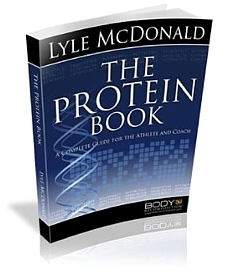
The Protein Book


Its been some time since Lyle McDonald released his book on more than everything that most normal people need to know about protein and exercise. Recently I have been lucky enough to get a copy of the book and so far I have read through the beginning chapters.

It is easy reading, but at the same time chock full of information, and multiple references to back any claims made.

This is about the only annoyance I find with the book, and its basically because I am lazy. Because of this laziness, I prefer references at either the end of the chapter, or at the rear of the book references linearly, aka, all chapters in one big blob, but numbered out. Mainly because when I want to check the reference in relation to an early chapter, it makes it easier for me to search out. I am sure there are others that find it OK, but I am lazy.

Lyle also makes some reasonably hefty recommendations for daily protein intake. I can see where he is coming from, but thanks to my slightly more clinical background, I would prefer to see a little more direct evidence on these before making them. The values are not outside of what is commonly consumed within the wider athletic population.

Now I just need to find the time to finish the book, then perhaps I can spend some time providing a complete review.

The Protein Book, and all of Lyle's other books at the store on his site. I am not involved in his affiliate program, but I waste enough bandwidth at his site leeching papers, so he needs some payback.

Wednesday, March 4, 2009

Low-Carb Evangelist

Martin Berkhan across at leangains.blogspot.com has recently posted about the Low Carb Taliban.

Linking the Low Carb nutters to fundamentals is an excellent comparison. My favourite type is the Evangelist. Not content with sitting within their communities (google low carb forum, plenty out there), they have to go forth and spread their particular insanity around every other corner of the Internet.

Just looking through the commentary of Martins site shows there are plenty out there.

It's nice that they so believe in their lifestyle that they want to share the knowledge with everyone, but unfortunately like most zealots - there is no other way possible.

Any alternate evidence is dismissed without a second thought, never open to any critical analysis. The most extreme example hates all carbohydrate and are highly entertaining.

It doesn't help that the alternate group puts forward concepts like fat is more fattening than carbohydrate, and dismissing low carbohydrate all together.

Excluding the middle is always the best option for zealots.

Saturday, January 17, 2009

Windows 7

I am typing this from the beta of Windows 7 running on a virtual machine on my Vista laptop. I installed the operating system on a 16gig 'partition' of my HDD, of which there is 9.3gigs free. I also assigned it 930megs of memory, of which some was stolen for the graphics and on startup it was using 400 and something, and even now its only using 500megs, so it should be able to run on a gig quite easily, and with a bit of playing around, I am sure it would run on 512megs.

Its using a lot of CPU buts that's probably due to the combined Vista/7 that is running. Otherwise, it appears to be working well. At least as good as Vista and that's only in a virtual machine.

If I get excited, I think I will put a partition of this onto another PC (1.6 Turion with 512megs) and see what I get from that, especially from a drivers point of view.

Thursday, January 15, 2009

Philips GoGear 2GB SA2825/02

I had a bit of a spend up over my Christmas vacations and replaced my old, rather bashed, gym MP3 player with a new Philips model. I had been using my iPod Nano (Gen3) but that has been handed down to a kidlet, and frankly iPod+me+gym = expensive replacements.
So on the Boxing Day sale-a-thon I nabbed a 2Gb GoGear which plays the MP3s, allows me to watch TV at the gym via the inbuilt FM radio, as well as being a FM and voice recorder. All of this for around $68. This works out about $30 less than the iPod shuffle and its actually useful.
I just drag n drop the files over from my computer via the attached USB cable and it plays them, and sounds pretty good too (not that I am an audio fanatic) when I am in the gym.

I have a set of Nike headphones that I use (as the ones included are OK but do not stay in during gym visits) that have a short cord, so the GoGear just hangs around my neck with the supplied strap, and I don't have an obnoxiously long headphone cord.

It crashed a couple of times when dropping in some MP3s (it does not appear to like Motorhead) but this just required a reboot of the player, and certainly no worse than dealing with iPod crashes.
All in all, its a great little MP3 player, and like most of the Philips gear I have (DVR, DVD player, and a Portable Player) its great value for money.

Tuesday, November 4, 2008

Ubuntu

The wireless stuff did not work, even with a completely new install of 8.10

It saw the network, but would not connect.

So, currently, I am going to do a fresh install of XP over everything and give ubuntu a break for awhile! Fighting endlessly with the wireless has ended most of the enjoyment.

I ran the live disc off my main box, and it appeared really nice. The key difference is that my main box runs off an ethernet connection to the interwebz, so it just ran nicely. Broadcom wireless FTL.

I am getting another couple of gigs worth of memory shortly, so once I get that, I will install 8.04 onto a USB key and use that to play with Ubuntu for a bit, but at the moment, I think a break is required.

Monday, November 3, 2008

Ubuntu purty

I have been using the Dark theme for Intrepid Ibex, but I found this Dust Theme the other day. It looks pretty nice, so I will be playing with it later as well.


Ubuntu 8.10 Intrepid Ibex

Well, I have been having issues with Ubuntu that have put me off using it very often recently. So I downloaded and installed 8.10 last night. Once again I have issues with the wireless setup, but there appears to be some hope.

In the tutorials and tips section of the Ubuntu Forums there is a post on how to get Broadcom wireless working.

Apparently, Broadcom have released a linux based driver, for the Dell Ubuntu Laptops, but this appears to allow others using similar wireless chipsets the ability to steal the driver and get it working.

Pretty much on the Hardware Driver Manager where you get the controlled drivers running, there is an option for Broadcom STA drivers, which is the one to choose, rather than the B43.

I will try it out when I get home, as I had no real luck with ndiswrapper or the Broadcom B43 drivers (it did work - once - when I was plugged in via ethernet) and see how I get on.

My laptop (ASUS F5R) runs a Broadcom Corporation BCM94311MCG wlan mini-PCI (rev 01) wireless card. In the thread listed above, there are only two or three mentions of that particular card, with all of them being successful with the Broadcom STA drivers.

Hopefully mine will be as well.

Sunday, September 28, 2008

2008 MotoGP World Champion

Valentino Rossi

and he completed it in winning style.

With three laps to run he should have sewn up the championships with a win in Japan.

Saturday, August 16, 2008

High Fructose Corn Syrup

I see lots of hysteria about this product, but for some reason, most people appear to miss the big picture.

But before I get into that, we have to know what High Fructose Corn Syrup, or HFCS as it is commonly called, actually is.

Corn is a wonderful little grain grown all over the world, but thanks to the Government funding scheme, it is produced in huge quantities in the USA.

Like most grains, the energy in corn is predominantly stored as a carbohydrate, a long chain polysaccharide commonly known as starch, predominantly amylopectin, a complex chain of glucose molecules that is similar to glycogen found in humans.

The manufacturers of HFCS take this starch, and enzymatically break down the starch into smaller pieces, and ultimately creates a glucose syrup. From here, they enzymatically convert the glucose to fructose, and through a series of other processing steps, produce a syrup that contains around 90% glucose. This 90% Fructose/10% glucose syrup can be used as is, or as is more common for food uses, the Fructose syrup is mixed with a glucose syrup to create a 55:45 fructose/glucose syrup, or HFCS 55.

This reduction in fructose content makes the end product extremely similar to the more common sugar used in the remainder of the world, sucrose. Sucrose is 50:50 glucose to fructose.

If you spend some time examining the research that compares sucrose with HFCS 55, you will find there is no real difference in the metabolic effect that both of these common sugars have on the body.

So why, you may ask, does HFCS get a bad name. Well, predominantly HFCS is an American phenomenon. Its used in any product that would normally use sucrose as a sweetner. The ubiquitous source of HFCS in USA and Canada is Soda. Soda used to be sweetened with Sucrose, and still is all over the world, but now (in USA and Canada) HFCS 55. They use HFCS because its cheap, its liquid, and its cheap. When you make as much Sugar laced Soda as Coke does, you want to make it as cheaply as possible, so you can make as much money as possible.

Over the past few decades, HFCS consumption has taken off, pretty much matched by a relative decrease in sucrose based sweetner consumption. But not completely matched. So ultimately, overall sugar intake has increased. Is this increase because of HFCS, or because people are eating more processed foods, and drinking more soda...

HFCS is bad, for the same reasons Sucrose is bad. It can provide a dose of fructose that far exceeds what you could consume unless you like eating bags of apples in a single sitting. Fructose is bad because it does not provide a natural appetite feedback, enabling excessive consumption to continue at will. It is also metabolised differently, and may result in excessive fat production, a reduction in insulin sensitivity and increased blood lipids, as well as a host of other potential bad things.

But these are not special to HFCS, they are available to anything that enables consumption of high levels of fructose. Which gets me to the confusing thing. People are replacing these sweetners with Raw sugars, and other products like Blue Avgave Syrup, that are supposedly 'healthy' while HFCS is evil.

Sure Blue Avgave syrup is low GI and quite sweet, so it should be, fructose is low GI and highly sweet... and blue avgave is a great source of fructose.

So, if HFCS is bad because it provides 55% fructose, and Blue Avgave and normal sugar are good, while they also provide fructose, whats the deal.

Its because one thing is natural, and HFCS is not. Somehow they think that the addition of a few vitamins, minerals or 'naturally produced' is going to magically stop the effects of fructose can have on the body. Either that or they are genuinely naive and somehow think natural things are good. If so I have some naturally produced Hydrogen Sulphide from Rotorua they can inhale for 1/2 an hour.

Intake of Sucrose, Fructose, HFCS, Blue Avgave etc will produce a similar negative effect on your body. Avoiding a product because it has HFCS in it, but then consuming the same product with sucrose in it is missing the point, or the big picture.

Its not a natural/artifical thing, its a fructose thing.